Arknights Endfield AIC Factory Blueprint Codes Guide for Smarter Base Management [Updated 31/01/2026]
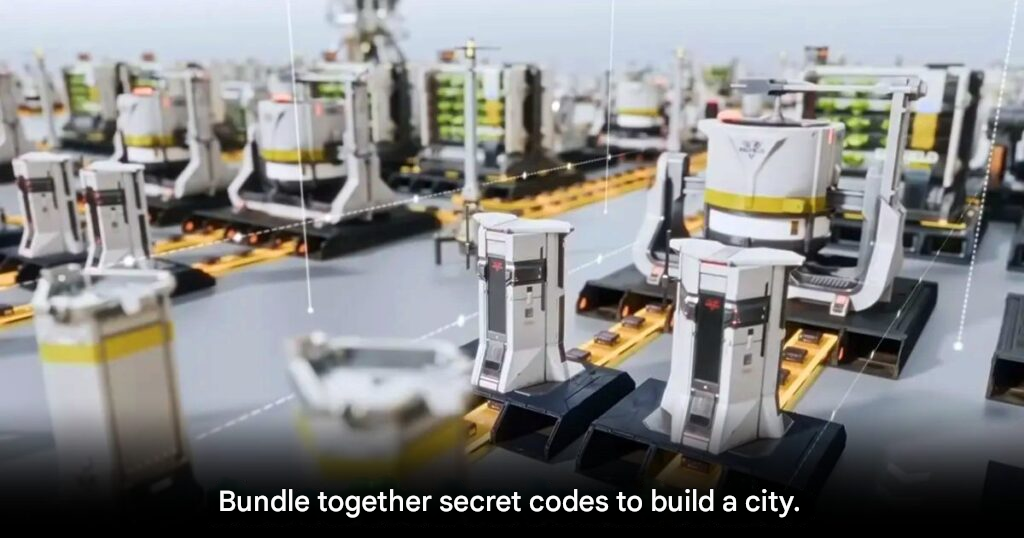
[Updated 31/01/2026] Players pioneering in Wuling District now have access to a large set of updated blueprints designed to optimize production across all stages. The centerpiece, the Wuling Graduation Blueprint, focuses on crucial item production and has been updated to increase battery production by 1 unit, meeting higher player demand.
Installation Requirements & Tips
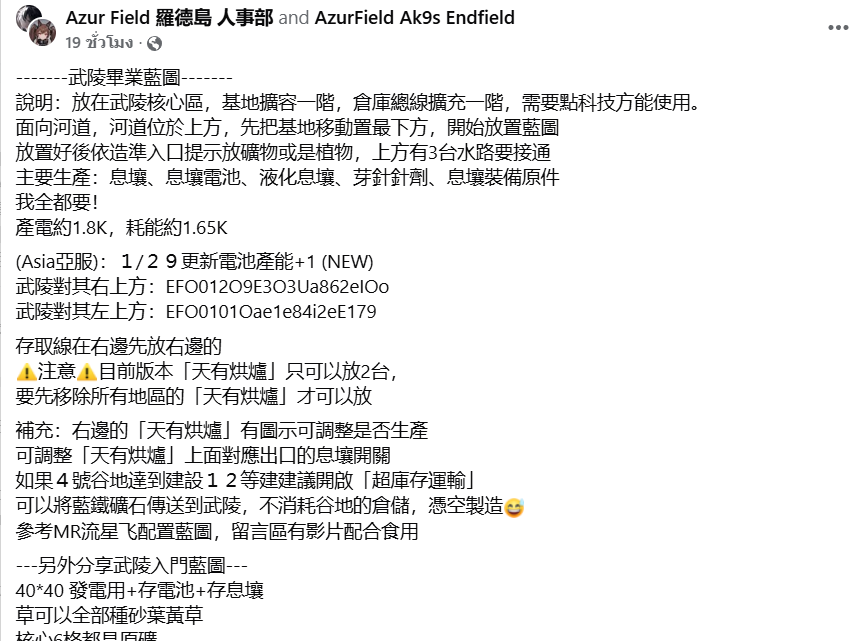
- Tech Upgrade Needed – Before using the large-scale layout, upgrade the base and warehouse transmission line technology by one level.
- Placement Technique –
- Face the river (top) and move the base toward the bottom point.
- Place the blueprint starting from this position.
- Add ore or plant at the entrance as symbolized.
- Connect the 3 water pipes above to ensure full system functionality.
Special Notes for Arknights: Endfield – AIC Factory Tree
- Construction can only be placed on 2 machines; existing devices must be deleted first.
- Production settings can be adjusted on the right side of the machine, with switches to turn production on/off as needed.
- If Valley 4 construction level reaches 12, enable Overload Transport to deliver Blue Iron Ore to Wuling efficiently without wasting storage space.
Secret Codes for AIC Factory Tree Bundle
EFO012O9E3O3Ua862eIOoEFO0101Oae1e84i2eE179EFO01a651i6io2A44ou5eEFO014E62uEuA03UIE71A
This update ensures players can maximize production efficiency, support higher resource demands, and streamline the management of complex supply chains in Wuling District.
[Updated 27/01/2026] Fresh Latest Updates For friends who are wading in the Valley 4 area, today there is a blueprint for you, focusing on a compact layout, saving space but very high efficiency, suitable for those who have completed all episodes of Valley 4 and have a base level and infrastructure station at level 3 or above.
The highlight of this flange is that everything is compacted tightly. The main product is a very high unit price such as purple batteries and capsules, and the only downside is that this blueprint is not a modular model that can be used individually, but must be used together to fully function.
- EFO01A7u199a15E49ieO
- EFO01u8U4EE54109AoOU
- EFO01194ouu8oeU634O7
- EFO01iUIa660aO2I72U4
- EFO01a658II387A5oe5e
- EFO01602I33oIi74O83e
Complete Collection of AIC Factory Blueprint Codes in Arknights Endfield
Arknights Endfield is widely recognized as one of the most complex gacha games currently available, especially when it comes to its AIC factory system that focuses on base construction and resource management. Setting up an efficient production layout can easily take hours of trial and error. Fortunately, the game includes a Blueprint system that allows players to copy and reuse optimized factory layouts, saving significant time and effort.
With Blueprints, players can instantly deploy proven production structures without manually rebuilding everything from scratch.
How to Create Your Own AIC Factory Blueprint
Creating a personal Blueprint is a straightforward process. First, enter AIC mode and switch the camera to Top View. From there, use the Bulk Action command to select all structures you want to save into a Blueprint. Keep in mind that some buildings may not support Blueprint saving and will be excluded automatically.
Once all supported structures are selected, press Ctrl + S to save the layout directly into the game system.
Naming, Tags, and Managing Saved Blueprints
After saving, the next step is to name your Blueprint and add a description. Assigning clear tags and an appropriate icon makes it much easier to remember what type of resources the Blueprint is designed to produce. Once completed, the Blueprint is stored in your personal library and can be reused anytime you want to expand your base or rebuild production lines in a new area.
This system allows players to experiment freely without permanently damaging their existing setups.
Sharing Blueprints and Using Blueprint Codes
Players who want to share their layouts with others can do so by selecting Submit for Review. After approval, the option will change to Share, allowing direct sharing with friends in-game. Alternatively, the Blueprint can be copied as a Blueprint Code, which can be shared externally on community platforms such as Reddit.
This makes it easy for efficient layouts to spread throughout the player community.
Optimized AIC Factory Blueprint Codes
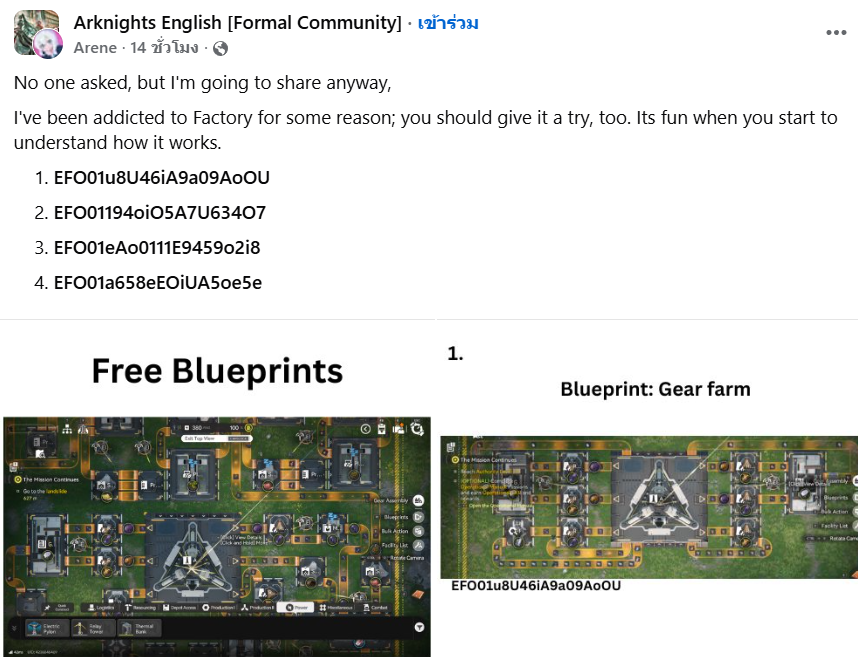
For players who prefer not to design layouts manually, here is a curated set of optimized AIC factory Blueprint codes. Simply copy any of the codes below and paste them into the Import Blueprint menu in-game to use them immediately:
EFO01u8U46iA9a09AoOU
EFO01194oiO5A7U634O7
EFO01eAo0111E9459o2i8
EFO01a658eEOiUA5oe5e
These layouts are designed to reduce clutter and improve production efficiency, making base management significantly easier.
Tips for New Players Using AIC Blueprints
For beginners who are unsure how to organize their base, one of the best methods is to visit a friend’s AIC factory and copy their layout directly. Searching for Blueprint codes shared by the online community is another excellent option. Once you obtain a code, go to the Shared Blueprints menu, select Import Blueprint, paste the code, and preview the structure before confirming construction.
The preview feature allows you to inspect the layout before committing resources to building it.
Why the Blueprint System Matters
The Blueprint system not only saves time but also encourages experimentation. Players can test multiple layouts without fear of permanently breaking their production chain, as saved Blueprints can always be reused. For anyone frustrated with conveyor belts, machine placement, or factory organization in Arknights Endfield, this system is an essential tool for smoother and more efficient base management.
Source: Arene